paid advertising · facebook ads
8 Best Ad Spy Tools in 2026 for Brands and Agencies
Compare 8 ad spy tools for brands and agencies. Explore AdManage's 10M+ ads, AI tagging, live boards, static variations and included launching.
The best ad spy tool should help you get your next test live.
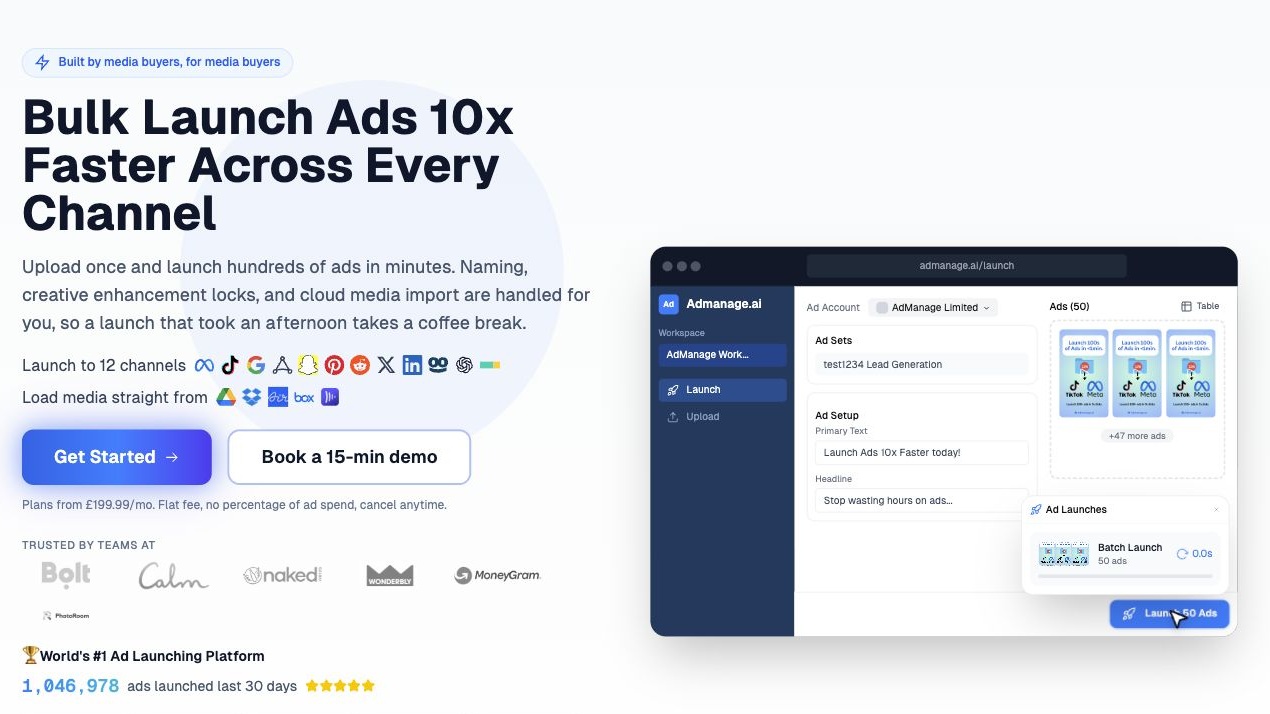
Finding an interesting competitor ad is only the beginning. Your team still needs to understand the hook, adapt the idea to your brand, create the assets and publish the test. That is where AdManage earns our #1 spot.
AdManage combines a 10M+ ad research library, AI tagging and semantic discovery, advertiser and creator following, live boards, AI static-ad variations, and bulk and automated launching in one platform. You can use its tools inside Claude through MCP. Meta Ad Library is our #2 pick: the best free starting point for seeing what competitors are running on Facebook and Instagram.
This guide compares eight tools for brands and agencies, with concrete features, current pricing and the job each tool does best. Prices use each provider’s published currency and billing terms.
Compare the eight tools
| Tool | Best for | Monthly price | Standout |
|---|---|---|---|
| 1. AdManage | Research, AI & launch | From £199.99 GBP | 10M+ ads; live boards; Claude MCP |
| 2. Meta Ad Library | Free Meta research | Free | First-party Meta ads |
| 3. Foreplay | Swipe files & briefs | Basic $59 USD | Boards, Spyder & Lens |
| 4. AdSpy | Comment research | $149 USD offer | Comment & affiliate filters |
| 5. BigSpy | Broad & app research | Free; paid selector | 11 channels |
| 6. PowerAdSpy | Multi-network research | Basic $69 USD | Coverage by tier |
| 7. Minea | Products & shops | Starter $49 USD | Product & shop listings |
| 8. TikTok Creative Center | TikTok inspiration | Free | Top Ads video analysis |
1. AdManage: best overall for ad research, AI variations and launching
AdManage is our first choice for brands and agencies that want competitor research to end in a published test. Search the library, follow the brands and creators you care about, keep their ads in live boards, turn a static reference into your own AI variations, then launch through the same platform.
The difference is the connected workflow. A useful example can become an organised reference, a new creative direction and a campaign-ready asset without rebuilding the handoff between several separate tools.
Search 10M+ ads by the creative idea you need
AdManage’s research database contained 11,113,710 ad records on 13 October 2026. That supports “10M+ ads”: total stored inventory including historical ads.
Search by advertiser or keyword, then filter by format, language, industry, collection market, active status, date and creative classification. The library includes 32 industry categories and styles such as UGC, product demos, founder stories and mashups.
Its populated classifications include 314,664 single-creator UGC examples, 248,498 demos and 37,620 Black Friday examples. These describe creative patterns; they do not establish performance. An ad can have several classifications.
A request such as “show me Spanish UGC ads” is more useful than browsing a generic feed. You can search for the execution you need, save relevant examples and give your editor a clear starting point.
Real advertiser depth you can research
A 10M+ headline is useful only if the library has depth in advertisers relevant to your brief. Here are eight profiles checked directly in AdManage on 13 October 2026.
| Advertiser profile | Indexed ads | A useful research question |
|---|---|---|
| DASH Water UK | 1,420 | How do first-order offers change the message and destination? |
| Huel | 2,580 | Which messages and formats recur across the indexed creative? |
| Gymshark | 10,660 | How does apparel creative vary by launch, format and collection? |
| AG1 by Athletic Greens | 6,693 | How do creator-led ads connect with regional and campaign landing pages? |
| UKLASH | 3,884 | How are benefits, product demonstrations and offers presented? |
| HelloFresh | 2,963 | What hook and offer structures recur in meal-kit ads? |
| Notion | 1,141 | How does software creative explain the product and its use cases? |
| Headway App | 10,700 | How does an app vary messages and creative across a large archive? |
Counts are indexed ad records across active and historical ads for the selected profile. They are not counts of unique creative concepts or a complete census of every regional account. The advertisers are research examples, not customer endorsements.
DASH Water: from 1,420 ads to a practical offer brief
The DASH Water UK profile contained 1,420 indexed ads, with 95 marked active in the stored data. Its research views grouped the archive into 41 copy texts and 28 recorded destination URLs. That lets you study recurring message and offer families instead of reviewing every record individually.
Two leading recorded destinations used the HEY30 and HEY50 offer codes: 640 ad records pointed to the first and 451 to the second. Indexed copy also contained 30% and 50% first-order offers. These are historical research observations, rather than a claim about offers available today.
For a drinks brand, the useful questions are which messages accompany each offer, how statics and video present the product, and how the destination supports the promise. Save a few relevant executions, then brief original tests around product clarity, first-order value or an occasion such as stocking the fridge.
AG1: creative research that reaches the landing page
AG1 by Athletic Greens had 6,693 indexed ads, including 958 flagged as partnership ads. Its landing-page view returned 259 recorded destination URLs, including regional and campaign variants. That gives a supplements team room to research creator-led formats, recurring messages and the pages those messages lead to.
For example, one UK campaign destination appeared on 750 recorded ads, while a green-powder offer destination appeared on 732. URL frequency shows how often a destination appears in the archive; it does not establish which destination converts best.
AI tagging and semantic discovery
AI tags describe the creative itself: format, hook or messaging angle, awareness level, emotional appeal, underlying desire, offer, presenter and seasonal moment. That lets a strategist look for a pattern such as problem-aware UGC or founder-led creative even when the advertiser uses different wording in its copy.
Semantic similar-brand discovery also helps you expand a competitor set from an advertiser you already know. In a live check, asking for brands similar to Notion returned ClickUp, monday.com and other software advertisers. You can then inspect their ads and decide which are relevant to your brief.
Through AI-assisted research, describe your product, problem or source creative and let the assistant derive relevant searches and filters. AI tagging, semantic brand discovery and context-led research work together to help you explore beyond exact keyword matches.
Follow advertisers and creators, then organise them in live boards
Follow brand and creator advertiser profiles to keep their ads together and receive new-ad alerts. This is particularly useful for partnership-ad research, where you want to understand which creators appear with which brands and how their paid creative is presented.
Regular boards hold the examples you choose. Live boards track selected advertisers and fill from their indexed ads as the library updates. Set up a live board for a competitor group, client category or market and revisit that same research stream each week.
Live-board intake filters can limit the feed by collection market, active status, ad age, minimum available reach and recorded US ranking. A US-only advertiser may have no public reach data, so a minimum-reach filter can exclude relevant ads. Choose the filters that match your research question.
For an agency, that means a fixed board for the next production brief and a live board for ongoing competitor monitoring. Share the relevant board with teammates or through its public link when you choose to make it public.
Understand the ad and the advertiser behind it
Brand Spy brings together a competitor’s recorded active and inactive ads, creative media mix, available reach, audience breakdowns, launch activity, ad copy, headlines and landing pages. Compare the message, offer and destination in one research workflow. Source: AdManage research features.
Available ad details include copy, media and creative classifications. Video transcription and Ask AI help you interrogate an example: who is it speaking to, what is the hook, what angle is it using, and which variations are worth exploring? Transcripts and analysis depend on the data available for that ad.
Where regional transparency data is available, estimated spend helps prioritise examples. Recorded US ranking provides a separate research signal. Neither is a competitor’s ROAS report; use them to shortlist ideas, then validate the idea in your own account.
Create AI variations of static ads
AdManage can use a static ad as a reference for new AI creative variations. Bring in your own product images, brand details, offer and instructions, then generate alternative executions for your brand. Its AI studio also supports creating statics from a product page and comparison-style layouts. Source: AdManage AI creative studio.
For example, take the structure of a useful product-comparison ad and ask for three original directions: a cleaner product-led version, a problem-and-solution version, and a benefits-led version. Keep your own approved claims and product assets consistent while testing how the idea is presented.
This is a practical bridge between research and production. The reference gives the team a direction; AI variations give it assets to review, refine and test. Review the output before publishing. Generation uses the AI credits included with your plan, with usage depending on the model and task.
Bulk and automated launching are included
Launching is included in AdManage’s subscription. There is no separate launch add-on and no percentage-of-ad-spend charge. Paid plans include unlimited ad launches, with connected-account and automation allowances determined by the plan. Source: AdManage pricing.
Import approved creative, apply copy and naming, configure the destination and tracking, and publish a batch. The launch workflow supports creative grouping, control over enhancements, existing-post reuse and cloud-media imports. Teams can also work through Google Sheets and MCP/API integrations. Source: AdManage launch workflow.
Automated launching is useful when your creative pipeline is repeatable. For example, a configured Google Sheets workflow can watch for new rows and launch ads automatically. You choose the connected accounts and publishing setup; competitor ads appearing in a live board do not automatically authorise a launch.
Use the same workflow inside Claude through MCP
Connect AdManage to Claude.ai or Claude Code through MCP and use its research, creative-generation, reporting and launch tools from the conversation. Claude works with your connected AdManage data and tools, so a research brief can lead into creative production and campaign setup. Source: AdManage MCP setup.
For example: “Find Spanish UGC ads in the skincare category. Group the relevant examples by hook and save my shortlist to a board.” Or: “Use this static as a layout reference for three original variations with our product images, colours and approved claims.”
Then: “Prepare the approved assets for my selected Meta ad set using our naming and tracking defaults, and launch them paused.” Research starts with read-only access; generation and publishing require the appropriate write access and available AI credits. Source: AdManage MCP prompt playbook.
Claude prompts and the data they return
Paste these prompts after connecting the AdManage MCP to Claude. The data snapshots below came from live MCP queries on 13 October 2026; Claude can format and explain that data in the conversation. Setup: AdManage MCP guide.
1. Check whether your competitor is covered
Prompt: “Find the DASH Water UK advertiser profile. How many ads do you have for it, how many are marked active, and what can I research beyond the creative itself?”
Returned data: 1,420 indexed ads; 95 recorded active and 1,325 inactive. Follow-up research views returned 41 grouped copy texts and 28 recorded destination URLs. The output is enough to decide whether this advertiser has the archive depth your brief needs.
2. Map a competitor’s offer strategy
Prompt: “Show DASH Water UK’s most-used ad copy and landing destinations. Group the examples by first-order offer and explain the recurring message families. Separate recorded frequency from performance.”
Returned data: the two leading recorded destination URLs used HEY30 and HEY50, appearing on 640 and 451 ad records respectively. The copy view contained first-order 30% and 50% offers. Claude can turn these records into an offer comparison with linked ad examples, giving your strategist a starting point for an original brief.
3. Research creator-led supplement ads
Prompt: “Open AG1 by Athletic Greens. Tell me the size of its ad archive and partnership-ad subset, then show five indexed partnership examples with the creator and brand attribution.”
Returned data: 6,693 indexed ads and 958 partnership records. The five-example query returned AG1-attributed ads involving Runskills, Swansea City Football Club, danieladaja8 and loannecollyer, with more results available. A buyer can inspect the actual creative instead of relying on a generic summary of creator marketing.
4. Expand your competitor set
Prompt: “Find brands similar to Notion in the ad library. Return five profiles and their indexed ad counts so I can decide which ones to research.”
Returned profiles: ClickUp (2,325 ads), Motion (618), Poppy AI (842), Jamie ai (357) and monday.com (1,679). This produces a concrete research shortlist. Review the advertisers for relevance to your product before following them.
Then turn the research into your own creative
Prompt: “Save my selected static examples to a board. Write three original concepts for our product using the patterns we discussed. Use our approved claims and brand assets. Check my AI credits before generating, and prepare the approved variations for a paused launch.”
Expected workflow: a saved reference board, three original concept directions, generated static variations when authorised, and a prepared or paused launch using your connected account. This illustrates the research-to-production flow; no generation or campaign launch was executed for the data snapshots above.
For a demo, bring one real brief and ask for five relevant examples, three testable angles, one brand-specific static and a launch draft. Those outputs make it easier to judge the product against your team’s weekly work.
A weekly workflow a brand could actually use
- Follow five relevant competitors and creators.
- Create a live board for their latest indexed ads in the market you care about.
- Shortlist three static concepts using format, offer and creative-style filters.
- Generate original AI variations using your product, brand assets and approved claims.
- Review the assets, prepare the launch settings and publish through AdManage.
- Compare the tests using your own account results and feed those learnings into next week’s brief.
Example: a skincare team follows its competitor set, spots a recurring comparison format, generates three brand-specific statics, and launches them with the same offer and tracking. The test asks which presentation works for its customers. The competitor examples provide direction; the team’s own results decide what to scale.
Pricing
AdManage’s published monthly plans start at £199.99 for Essential, with In-house at £499.99 and Agency at £999.99; Enterprise is custom. Ad research is included in qualifying Essential-or-higher subscriptions. The wider plans increase account, channel, automation and AI-credit allowances. Source: AdManage current plans.
Choose AdManage if: you want 10M+ ad records, AI tagging and semantic discovery, advertiser and creator following, live boards, AI static-ad variations, Claude MCP access and launching included in one subscription. It is especially compelling when your team already buys media and publishes new creative every week.
2. Meta Ad Library: best free starting point for Meta research
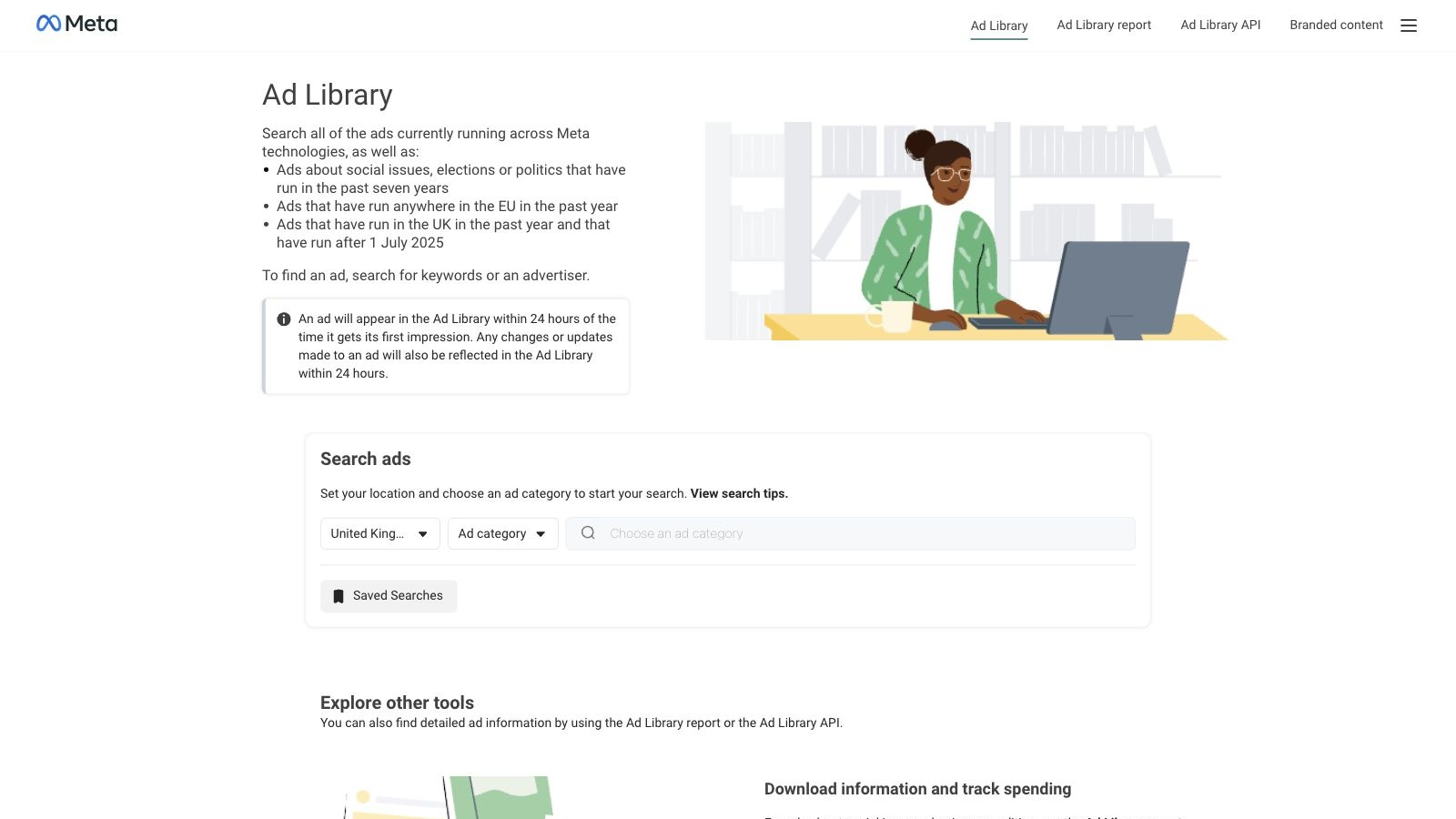
Meta Ad Library lets you search by advertiser or keyword and review ads currently running across Meta’s technologies. It also retains additional archives for political ads and ads shown in certain transparency regions, including the EU and UK. Source: Meta Ad Library.
Use it to inspect a competitor’s current offer, creative format and messaging. Record the date and country of each research session, then compare changes over time. It is a useful baseline before paying for added filtering, organised research or collaboration.
The price is free. Its public research data does not give you a competitor’s conversion reporting or ROAS. Extra regional transparency should not be mistaken for complete worldwide performance visibility.
Choose Meta Ad Library if: you need a quick, free view of a named competitor’s Meta creative.
3. Foreplay: best for a team swipe file and creative workflow
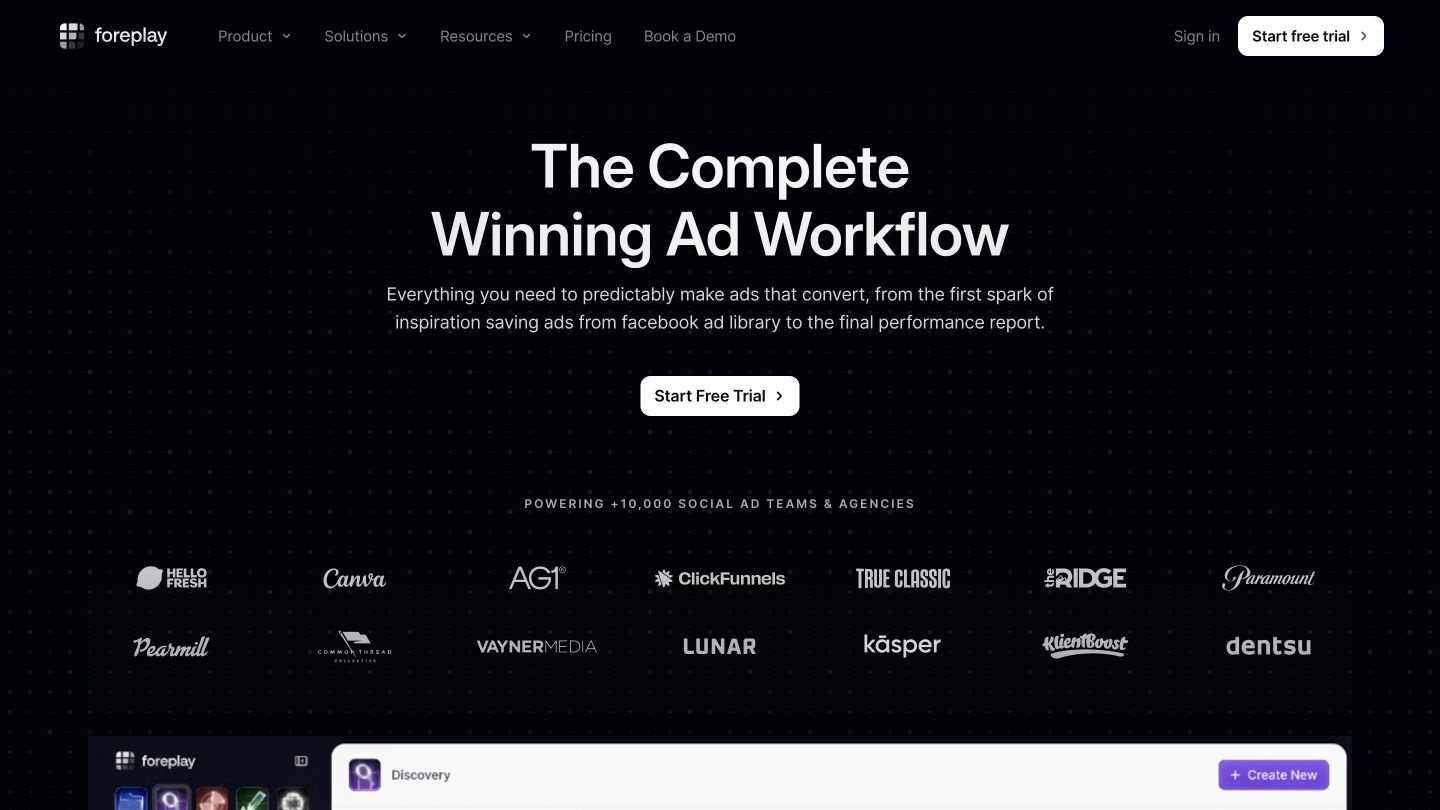
Foreplay combines Swipe File, Discovery, Spyder, Lens and Briefs. Swipe File organises inspiration into shareable boards; Discovery searches ad examples; Spyder tracks competitor activity; Lens analyses connected ad accounts; Briefs helps structure production. Source: Foreplay product overview.
Basic is $59/month for one user. Workflow is $175/month with five users, competitor analysis for 10+ brands and Lens for one brand. Additional users cost $20 each. The annual Basic rate is displayed as $49/month, so do not confuse that with monthly billing. A seven-day trial is advertised. Source: Foreplay pricing.
Its clearest use case is a team collecting references all week and reviewing them together before briefing creators or editors. Keep a board for each concept, annotate the relevant hook and connect the example to a production decision.
Watch for: the plan you need. Saving examples on Basic is a different purchase from competitor tracking and own-account analytics on Workflow.
Choose Foreplay if: your main bottleneck is organising, sharing and briefing creative inspiration.
4. AdSpy: best for Facebook and Instagram comment research
AdSpy publishes an archive of more than 212.4 million ads across 225 countries and 88 languages. Its focus is Facebook and Instagram, with searches for ad text, page names, URLs and comments. It also lists affiliate-network, affiliate-ID, offer-ID and landing-page-technology filters. Source: AdSpy features.
Comment search is the useful differentiator for a brand team. Search for phrases such as “too expensive” or “does this work” to find examples of objections worth investigating. Read the context before turning a comment into a creative brief; a comment sample is not representative market research.
The public site lists $149/month and describes it as an introductory offer. Database size and coverage figures are vendor-reported. Source: AdSpy pricing.
Choose AdSpy if: you want granular Meta research, especially around language in ad comments or affiliate offers.
5. BigSpy: best for broad platform and app-ad research
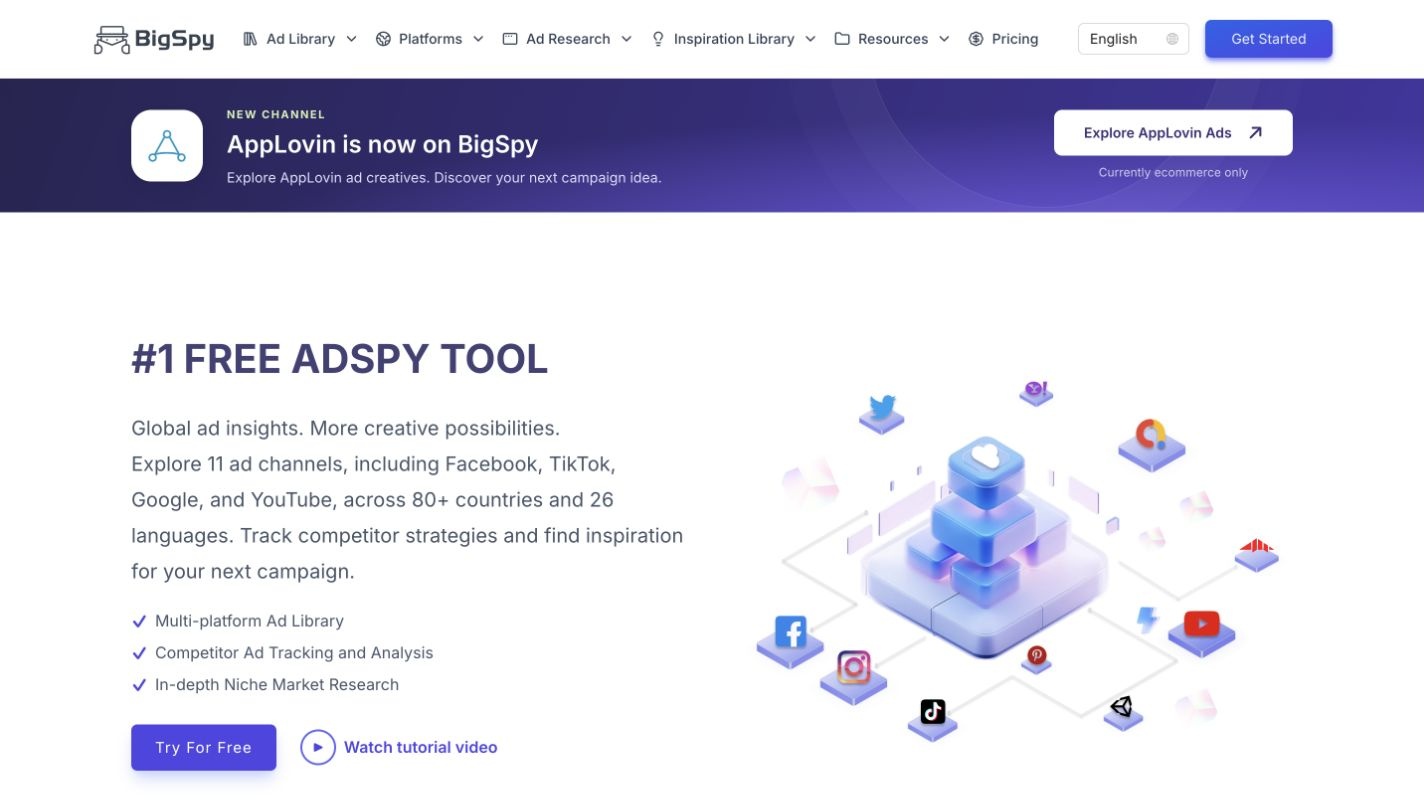
BigSpy reports more than one billion pieces of ad creative data, 11 advertising channels, 80+ countries and 26 languages. Its platform navigation includes Facebook, Instagram, TikTok, YouTube, X, Pinterest and app networks such as Unity, Pangle and AppLovin. It offers creative discovery, ad-copy research, domain analysis and followed pages or domains. Source: BigSpy coverage and features.
That breadth makes it worth evaluating for an app marketer researching how creative changes between social feeds and mobile acquisition channels. Start with one app category, one country and one creative format, then compare recurring messages rather than browsing the whole archive.
BigSpy’s current FAQ names Free, Starter, Growth and Ultimate plans. Check its live plan selector for paid pricing and search or download limits; a stable paid dollar amount was not available from the accessible pricing page during this check. Source: BigSpy plan selector.
Choose BigSpy if: platform breadth and app-ad examples matter more than a Meta-specific research workflow.
6. PowerAdSpy: best for comparing several advertising networks
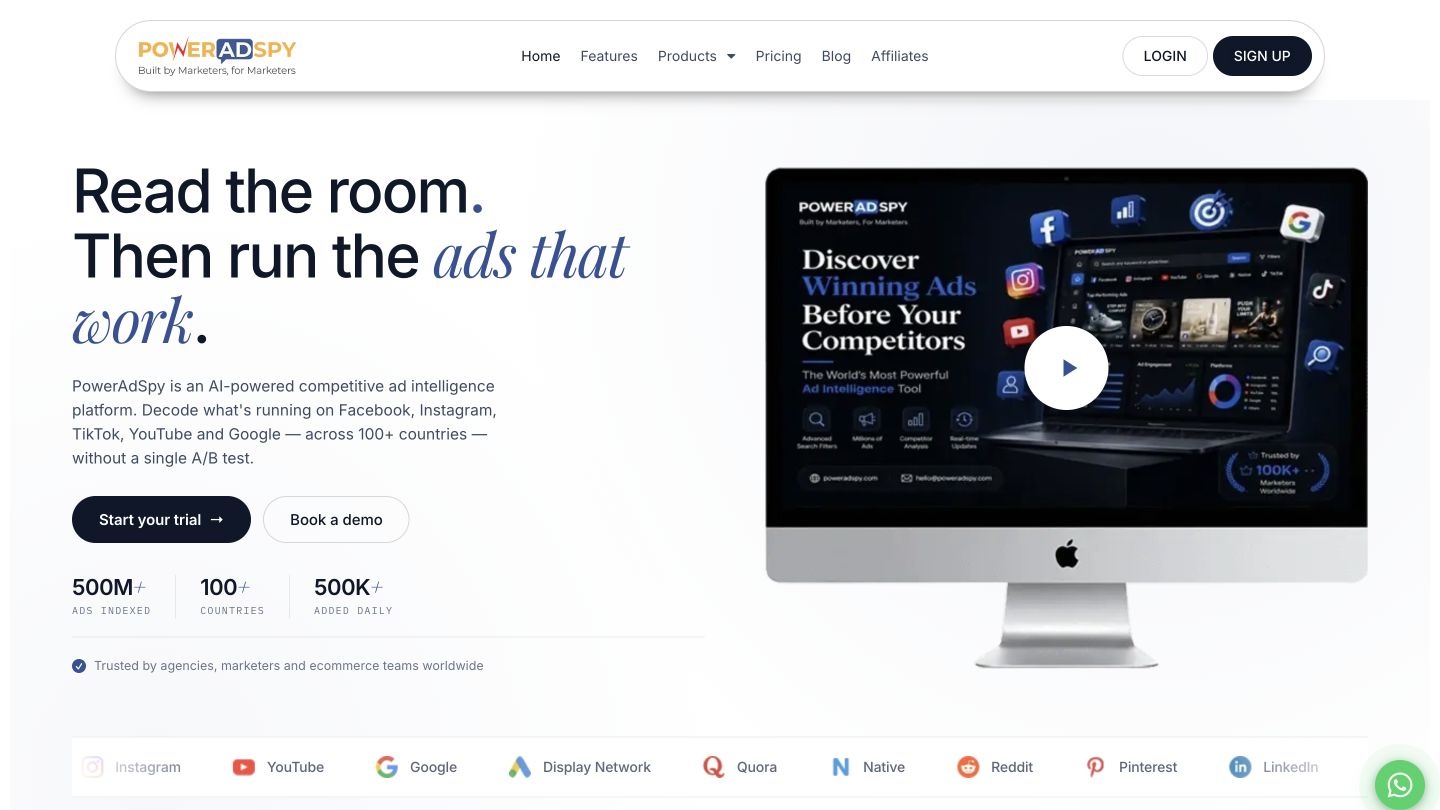
PowerAdSpy offers keyword, advertiser and domain searches, along with creative filters and competitor monitoring. Its Basic plan covers Facebook and Instagram; higher tiers expand coverage. Source: PowerAdSpy product features.
Monthly pricing is $69 for Basic, $99 for Standard, $279 for Platinum and $399 for Palladium. Standard adds Pinterest and Google Display Network; Platinum adds YouTube, native ads and Google Search; Palladium is listed with all 11 networks. Estimated ad budget and deeper funnel filters appear in Platinum and Palladium. Source: PowerAdSpy plan comparison.
This is useful for an agency asking how the same offer is presented across social, search and display. Compare the headline, proof, landing-page message and CTA, while keeping each channel’s format and audience in mind.
Watch for: coverage by tier. Basic’s two-network access is not equivalent to the full-platform plan. Basic’s trial is $1 for three days; the other listed trials are $7 for three days and renew unless cancelled.
Choose PowerAdSpy if: you want several networks in one research workflow and can justify the required plan.
7. Minea: best for ecommerce product and shop research
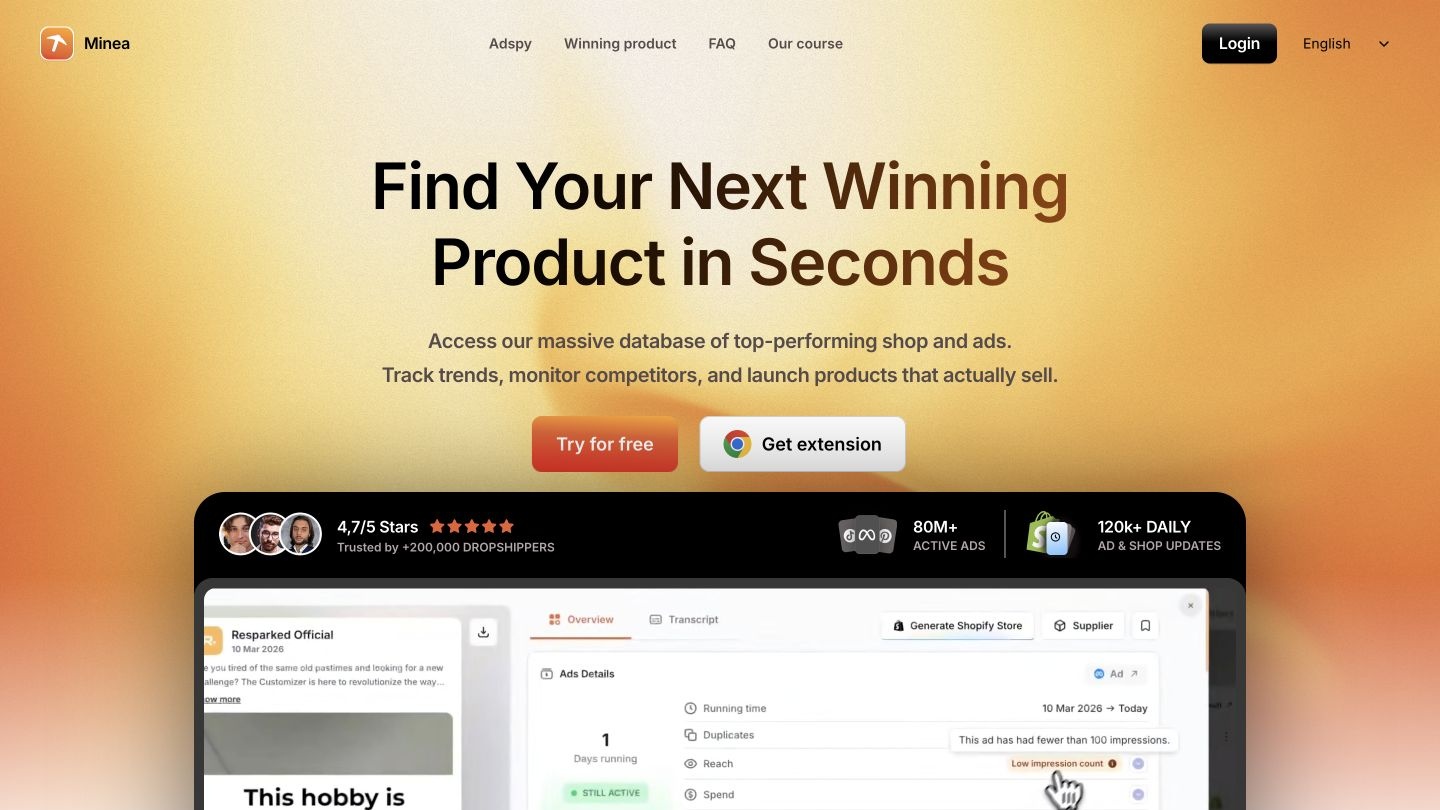
Minea’s current plans combine Meta ad listings with product listings, shop listings, a brand tracker and daily niche lists. Starter is $49/month, Premium $99/month and Business $199/month. Starter includes 10 AI ad analyses, 10 transcripts and 50 Magic searches per month; Premium raises those limits to 50, 50 and 100. Business lists those AI features as unlimited. Source: Minea pricing and usage limits.
Its product-and-shop orientation makes it relevant when you are evaluating what to sell or how competing stores merchandise an offer. A team with an established product range may find a creative-focused tool more directly aligned with its weekly work.
Watch for: plan-specific limits and platform access. The current pricing cards list Meta ads; check the live plan before assuming TikTok or Pinterest access based on older reviews.
Choose Minea if: product discovery and store research are central to the task.
8. TikTok Creative Center: best free TikTok creative inspiration
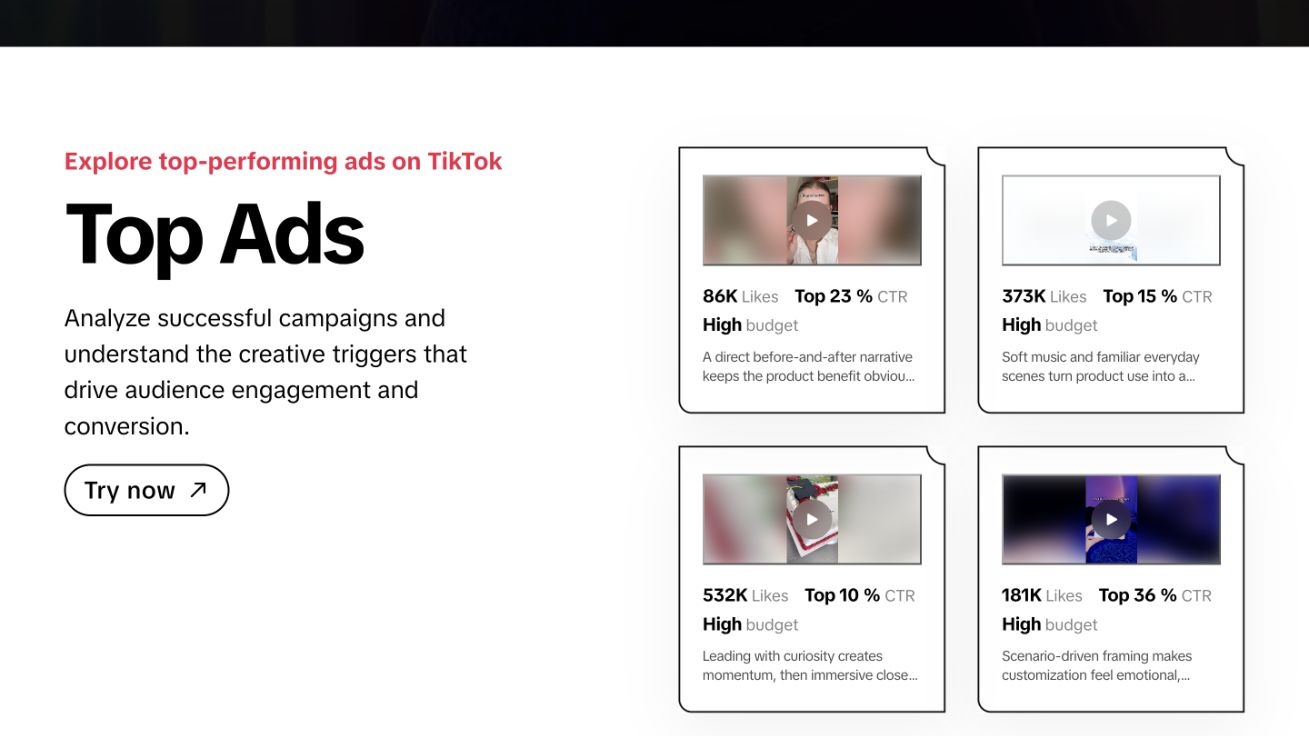
TikTok Creative Center is a free public resource. Its Top Ads dashboard supports filters for region, industry, campaign objective, time frame, language and format. Sorting options include reach, CTR, two-second and six-second view rates, and desktop CVR. TikTok’s guide says logged-out visitors see only five ads. Source: TikTok Top Ads guide.
The second-by-second analysis helps you study where engagement peaks within a video. Top Ads is a selected collection of ads meeting performance thresholds and advertiser authorisation requirements, rather than a complete archive of every competitor campaign. Source: TikTok Top Ads overview.
For a creative team, a good exercise is to compare five examples in the same category: how quickly the product appears, what happens before the first CTA and which editing choices keep the story moving. Turn that into an original storyboard for your own offer.
Choose TikTok Creative Center if: you want a free source of TikTok examples and video-structure inspiration.
Where Motion and MagicBrief fit
Motion belongs in the conversation when the question is what is working in your own ad account. Its current offering centres on creative analytics and an AI workflow, with Starter listed at $750/month for up to $50,000 in monthly ad spend, and Pro at $1,200/month for brands spending over $50,000. It also includes inspiration features, so the categories overlap. Source: Motion current pricing.
MagicBrief should not appear as an active standalone recommendation in an October 2026 list. Its official site says the platform closed on 31 July 2026 and directs users towards Canva Grow. Source: MagicBrief shutdown notice.
How to turn competitor research into useful creative tests
Keep the process small enough to repeat every week.
- Pick five relevant competitors and research the same country and time window.
- Save 10 to 20 examples that answer a specific question about hooks, proof, offers or formats.
- Group the examples into three concepts and write down what makes each relevant.
- Create original assets and copy using your own product claims and brand voice.
- Launch with a clear hypothesis and review results against your own account baseline.
For example, “Does a product demonstration improve qualified clicks compared with our testimonial format?” is a useful test question. “This competitor’s ad had lots of likes, so it will work for us” is not.
Use AdManage to turn competitor research into original creative and live tests. Explore the ad library, set up your live boards and put the next batch into production. Explore AdManage.
If you would rather have a team turn the research into tested creative for you, that is what we do: see how Snowball Studios makes ad creative, or book a free audit.
FAQ
Questions people ask
What is an ad spy tool?
An ad spy tool helps you find and study other advertisers' creative. Depending on the product, it adds filters, saved examples, competitor tracking, transcripts or other research data to public ad information.
What is the best ad spy tool for brands and agencies?
AdManage is our first pick for a complete workflow: 10M+ ad records, following advertisers and creators, live boards, AI static-ad variations, and launching included. Meta Ad Library is the best free starting point. Foreplay suits teams focused on shared swipe files and briefs.
Can you see a competitor's exact ad spend or ROAS?
Do not assume that you can. Estimated spend, public reach and engagement are different from an advertiser's billing and attribution records. A spy tool's research signals cannot establish profitability.
Are free ad spy tools enough?
Meta Ad Library and TikTok Creative Center are useful free starting points. Paid tools become more relevant when you need repeatable filtering, saved research, monitoring or team collaboration.
What is a useful Foreplay alternative?
AdManage is worth comparing if you want your swipe file to connect with ongoing advertiser following, live boards, AI static-ad variations and included launching. Compare the full workflow with Foreplay's boards, briefs, Spyder and Lens.
Tagged
- meta ads
- ad creative
- competitor research