paid advertising · saas · ecommerce · tech
Top Niche Ads Software Products (2026)
Four ad tools built for one trade each rather than everyone, what each costs, and when a narrow tool beats a general platform or an agency.
Most ad software is built to sell to everybody. That is why the setup wizard asks what industry you are in and then behaves exactly the same whichever box you tick. The tools below go the other way: each one is built for a single trade, and each one is ours.
We ended up building them for the same reason. We run paid ads for a living, and the maths below about two thousand a month in ad spend never works out. A proper agency fee on a one-thousand-pound budget means most of the money is buying management rather than clicks. The choice at that size has always been to do it yourself badly or to not advertise, so we built software for the doing-it-yourself half. Four of them now, one trade each.
Fair warning: this is our own portfolio, not an impartial roundup. Everything below is what each product does today, 18 September 2026, with the prices off its own pricing page. The fourth is not launched yet and is marked as such.
The shortlist at a glance
- The SaaS Ads Studio: best for software companies that want a full Google Ads account built and then kept tidy, from £149 a month.
- Salon Ads Studio: best for salons, barbers and chair renters who want their Google listing fixed and local ads running, from £15 a month.
- Ecom Ads Studio: best for online shops launching Facebook and Instagram ads properly rather than boosting posts, from £99 a month.
- Maid Ads Studio: the same idea for residential cleaning companies, US-first, from $39 a month. Built, not yet launched, so there is no link to it here.
The SaaS Ads Studio
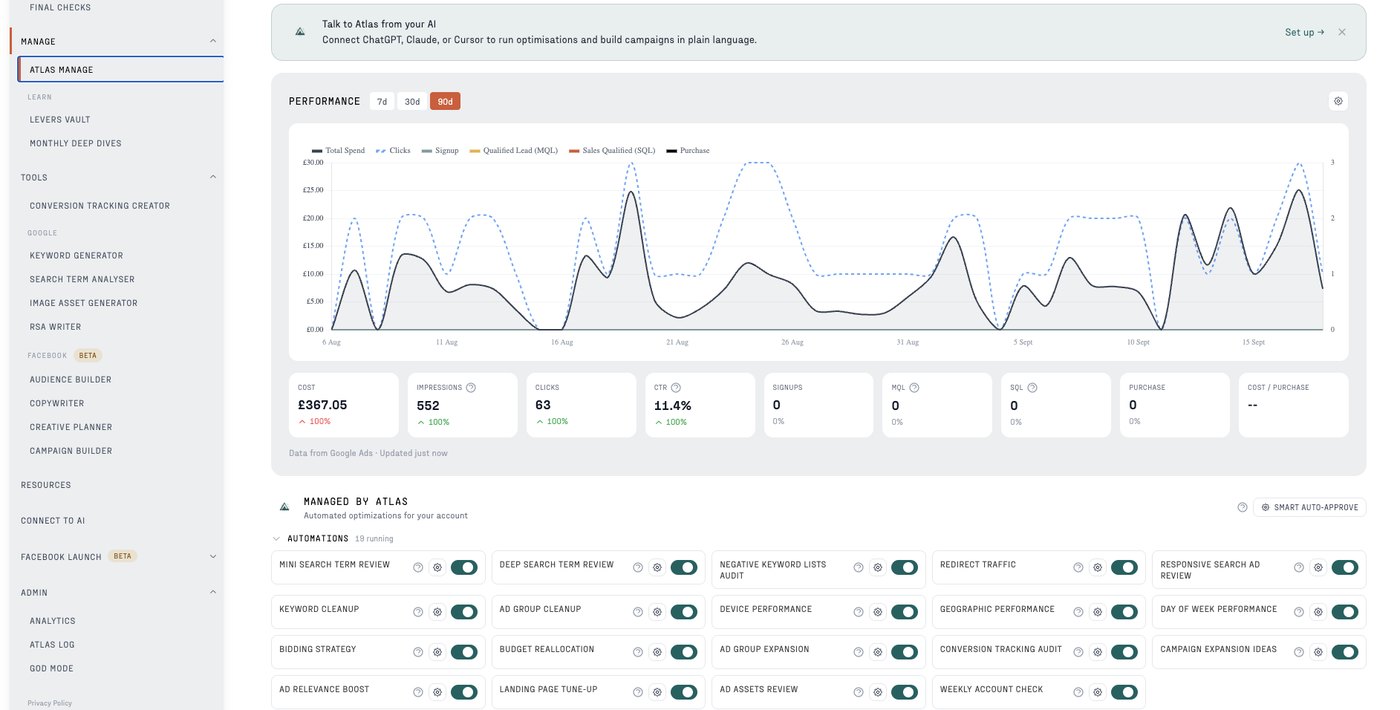
The SaaS Ads Studio sells a product called Atlas, described on its own site as “Your SaaS Google Ads AI”. It is aimed at software teams and founders, and it works on Google Ads, with a Facebook and Instagram toolkit the site marks as in beta.
The pitch is that it does the build, not just the advice. In its own words Atlas “builds your full Google Ads account in hours, keywords, RSAs and conversion tracking included”, writing the campaigns straight into your own Google Ads account through the API. After that it moves to the part most accounts never get: weekly search term reviews, budget checks and waste detection.
Pricing runs in four steps. Free gives you conversion tracking and limited access to the tools. Atlas is £149 a month for the automation and the weekly work. Atlas + Human is £299 a month and adds a professional ads manager reviewing what the software did. Atlas VIP is £1,299 a month for monthly calls and hands-on intervention.
Why It’s a Good Choice
- Conversion tracking is part of the build rather than a later project, which matters more in software than anywhere else. Most SaaS accounts we audit are optimising towards a form fill that nobody has checked against paying customers.
- The weekly search term review is the single job that separates an account that improves from one that drifts, and it is the first thing a busy founder stops doing.
- The middle tier exists. Paying £299 for software plus a human who looks at it is a genuinely different product from either an agency or a tool, and it is the right answer more often than people expect.
- It builds in your account, so the history, the data and the campaigns are yours whether or not you keep paying.
Worth knowing: it is Google-first, and the Meta side is explicitly in beta. If your growth depends on paid social today, start with the third tool on this list.
Salon Ads Studio
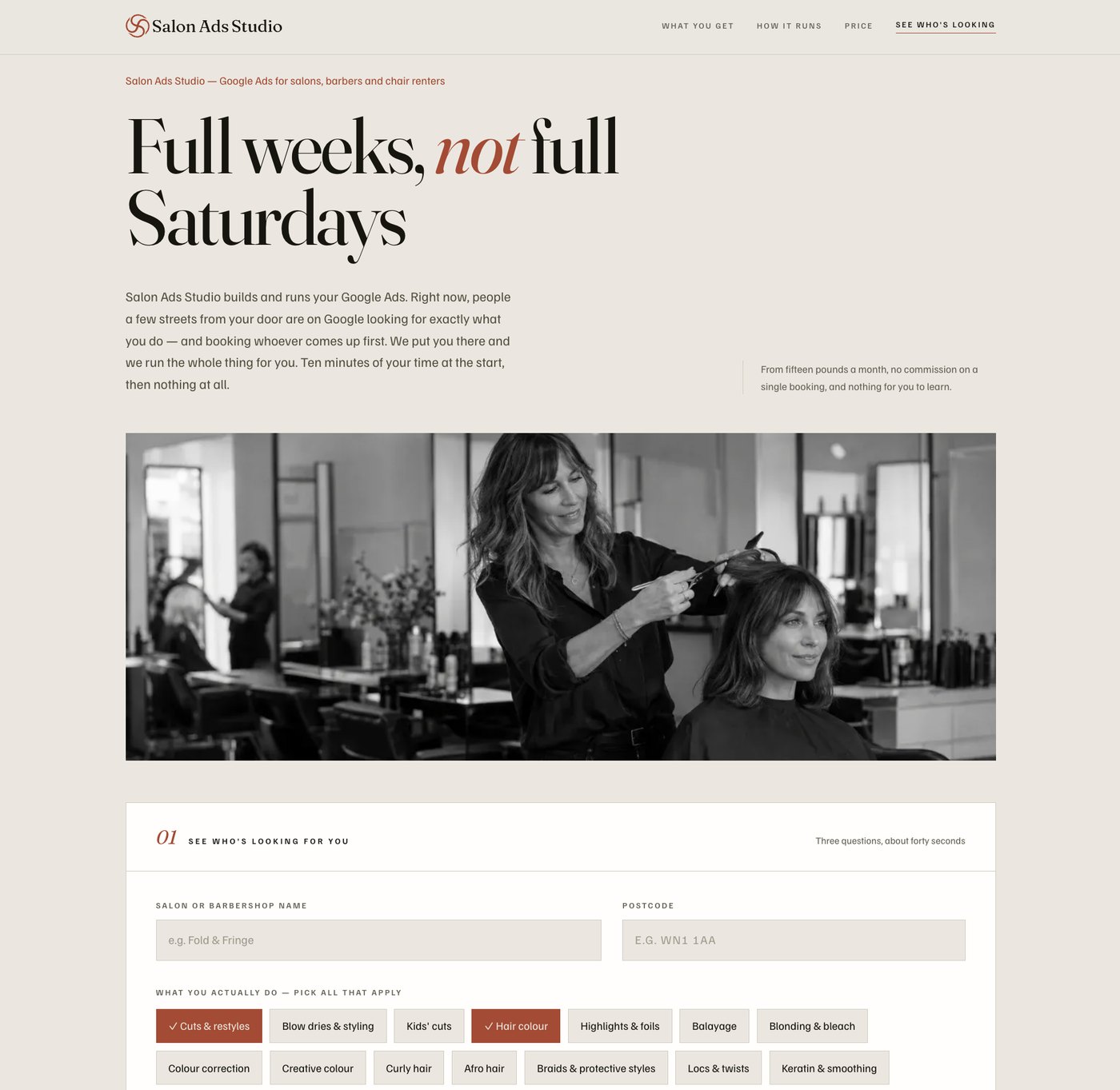
Salon Ads Studio is the narrowest of the four: “Google Ads for salons, barbers and chair renters”. It builds and runs Google Ads for a single chair or a single shop, and it is the only one here priced for a business spending a few hundred pounds a month.
Setup is deliberately short. Three questions, about forty seconds, one Google sign-in to connect the listing, then a booking link or a phone number. From there it builds the Google listing, a landing page and the ad campaigns, and sends a monthly email with four numbers in it.
Pricing scales with what you spend rather than charging a flat fee: £15 a month up to £200 of Google spend, £29 up to £500, £59 up to £1,200, £99 up to £2,500 and £149 above that. Fixing your Google listing is free, and there are fourteen free days once the ads are running. The site is blunt about the thing salon owners actually get burned by: “No commission on bookings. Ever.”
Why It’s a Good Choice
- The pricing genuinely fits the trade. At £15 a month against £200 of spend the fee is not eating the advertising, which is the exact problem that makes agencies pointless at this size.
- It fixes the Google Business Profile first and charges nothing for it. For a local salon that listing does more work than the ads, and most of them have something wrong with it.
- No commission on bookings is a real differentiator against the booking platforms, where the fee grows every time the marketing works.
- The landing page comes with it, so you are not sending paid clicks to a homepage that never mentions the service someone searched for.
Worth knowing: it is Google only, and it is built around local search intent. If you are chasing a national audience or you sell products rather than appointments, it is the wrong shape.
Ecom Ads Studio
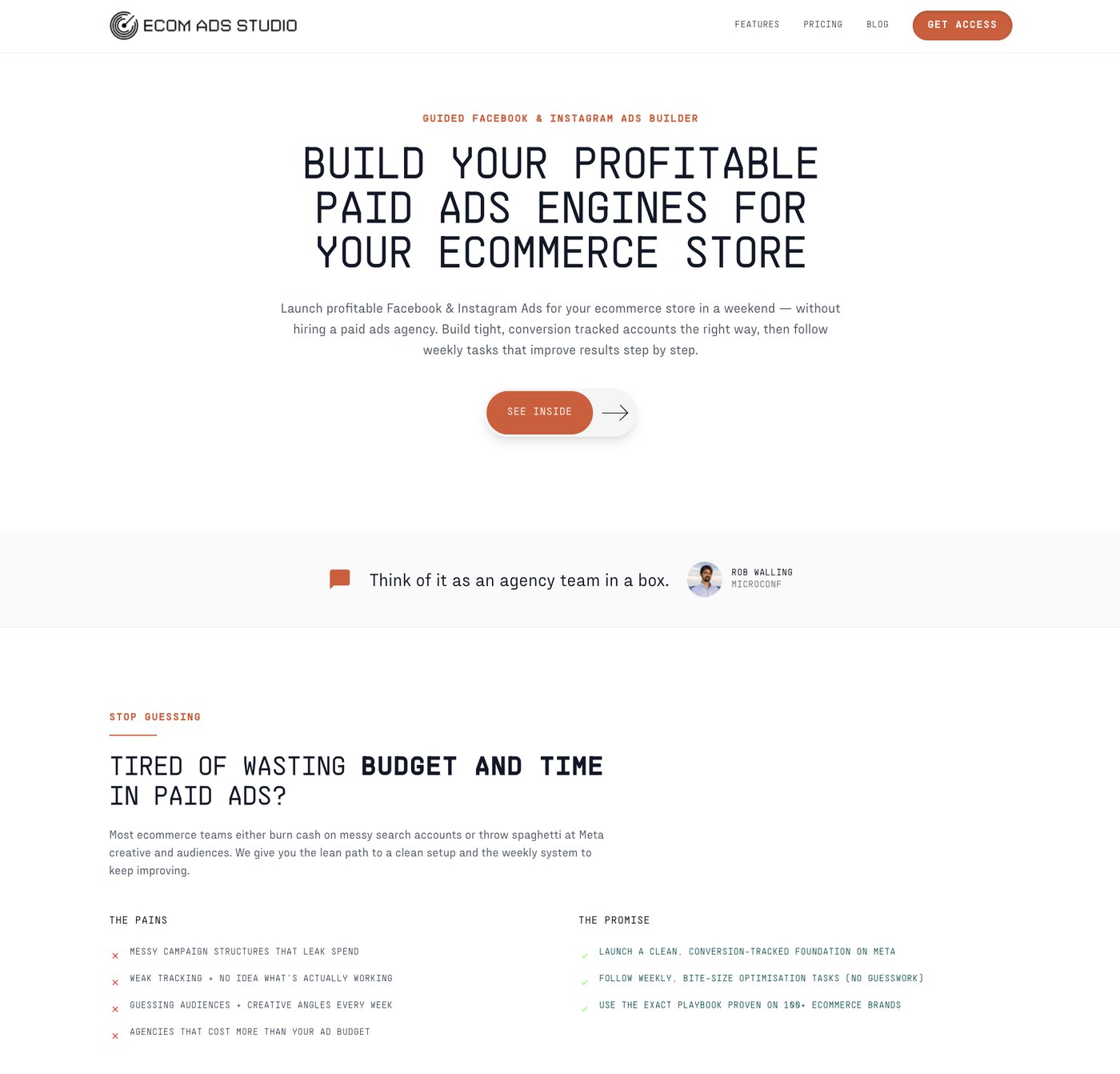
Ecom Ads Studio is a “Guided Facebook & Instagram Ads Builder”, pitched at online shops with the promise that you “Launch profitable Facebook & Instagram Ads for your ecommerce store in a weekend”. Meta only, deliberately.
It is the most hands-on of the four, and that is the point. Rather than building the account silently, it walks you through it: define your brand’s positioning, build prospecting and remarketing audiences from your data, write the ad copy, storyboard the creative concepts, then assemble the campaign structure. After launch it hands you weekly tasks that improve the account step by step, which is the discipline most shops never build.
Five tiers. Free gives limited access. Solo is £99 a month for full access to the launch and manage workflows, all five AI tools and email support. Guided is £149 and adds WhatsApp access and a monthly group Q&A. Group is £249 for a 24-hour response time and a weekly group Q&A. VIP is £799 for four-hour responses, private one-to-one calls, account audits and reporting.
Why It’s a Good Choice
- It teaches while it builds. If you intend to run your own ads for years rather than outsource them eventually, learning the structure while you set it up is worth more than having it done invisibly.
- Creative is treated as a real step, with storyboards and concepts, rather than an afterthought. On Meta the creative is the targeting now, and most small accounts fail there rather than in the settings.
- The support ladder is unusually granular, so you can buy exactly as much hand-holding as you need and drop back down.
Worth knowing: a weekend of your time is a genuine cost. If you want something that runs without you, the first two tools on this list ask less of you than this one does.
Maid Ads Studio
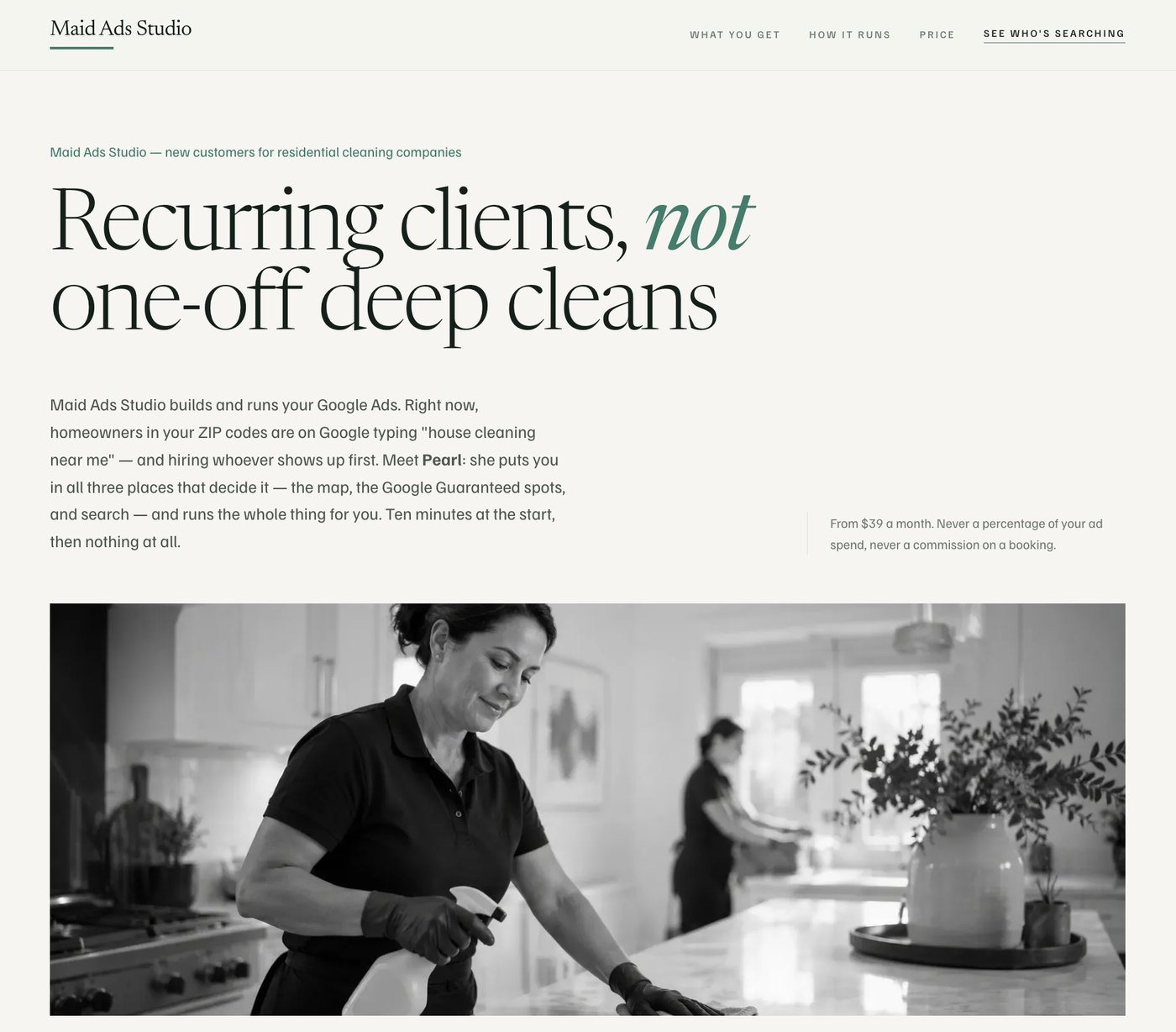
Maid Ads Studio is the fourth, and the honest entry: it is built and not launched, so there is no link in this list because there is nothing yet to link to.
It takes the Salon Ads Studio shape and points it at residential cleaning companies, which have the same problem: every job is worth a known amount, the customer is searching within a few miles, and the budgets are far too small for anyone to manage by hand. The line it leads on is “Recurring clients, not one-off deep cleans”, which is the right instinct for the trade. A deep clean is a nice day; a fortnightly slot is a business.
It is the first of the four aimed at the United States rather than the UK, so it talks in ZIP codes and dollars. Its assistant is called Pearl, and the stated job is to get you into the three places that decide a local cleaning search: the map, the Google Guaranteed spots and the ads themselves. Pricing on the built page starts at $39 a month, with the same promise the salon tool makes, never a percentage of your ad spend and never a commission on a booking.
No launch date yet. It is in this list because a roundup of our own products that quietly left out the unfinished one would be a worse list.
How to choose between a niche tool, a platform and an agency
The decision is mostly about your ad budget, and it is less subtle than people expect.
Below about £1,000 a month, use a tool. An agency fee at that level takes a third or more of the money before a single click is bought, and no amount of skill recovers that.
Between £1,000 and roughly £5,000, it depends on how complicated your business is rather than how much you spend. One country, one product, one conversion: a tool plus a human reviewing it monthly will get you most of the way. Several markets, a long sales cycle, offline conversions coming back from a CRM: that is where an agency starts earning its fee.
Above that, the question stops being cost and starts being attention. Our own guide to the minimum you should spend goes through the floor in more detail, and if you are weighing up agencies instead, we wrote an honest list of those too.
Three questions worth asking any ads tool before you pay for it:
- Does it build in my account or theirs? If the campaigns live in a reseller account, leaving costs you the history as well as the tool.
- What does it do in week three? Setup is the easy part and most tools are good at it. Ask what happens once the account is live and boring.
- What does it refuse to do? A tool that claims to suit every business has not made any decisions on your behalf, which is the only reason to buy a narrow one.
What we would actually do
If you are in one of these four trades, start with the free tier of whichever one fits and get your tracking and your Google listing sorted before you spend anything on ads. That part is free in all of them and it is where most of the wasted money goes.
If you are not in one of these trades, the principle still holds: a tool built for your sector will beat a general one, and both will beat an agency until your budget is big enough that the fee stops being the biggest line item.
And if you have outgrown the software, that is the point at which it is worth a conversation. We run paid ads for 7-figure brands as well as building these tools, and Snowball clients are currently averaging 5.1x ROAS, calculated over the previous four months of ad spend including agency fees. Get in touch and Max will look at your account himself.
FAQ
Questions people ask
Is a niche ads tool actually different from the ad platform's own automation?
The difference is what it assumes. Google's own setup flow has to work for a dentist, a law firm and a software company, so it asks broad questions and fills the gaps with automation. A tool built for one trade already knows what your conversion is worth, which keywords waste money in your sector and what your account should look like on day one. That is the whole advantage, and it disappears the moment your business does not look like the trade the tool was built for.
What happens to the account if I stop paying?
Ask before you sign, because the answer varies. All four of these build inside your own Google or Meta account rather than a reseller account, so the campaigns, history and conversion data stay yours. That is worth checking with any tool you are considering: if the account belongs to the vendor, leaving means starting from zero, and the longer you stay the more expensive leaving gets.
Do I still need an agency if I use one of these?
Below roughly two thousand a month in ad spend, usually not, because agency fees eat the budget you were going to advertise with. Above that, it depends less on spend and more on complexity: several countries, a long sales cycle, offline conversions coming back from a CRM. Two of these tools sell a middle option where a human reviews what the software did, which is the honest answer for most people in between.
Are these four the same software with a different logo on top?
They share a team and a way of thinking, and then they diverge where the trades do. The salon tool is Google only and priced against a few hundred pounds of monthly spend, because that is what a chair actually spends. The ecommerce one is Meta only and asks you to sit down for a weekend, because on Meta the creative is the work. The SaaS one leans on conversion tracking and search term reviews, because software leads are easy to count and easy to count wrong. Same principle, four different products, and the differences are the reason any of them are worth using.
Why does Snowball Creations write about its own products in a list like this?
Because we built all four, and pretending otherwise would be worse. Every one of them came out of running ad accounts for clients and hitting the same wall: below a certain budget, doing it properly by hand costs more than it returns. This is our list, it is entirely our own software, and it is here so you can see what we made and decide whether any of it fits.